Screenshots
This is what AdhanTV looks like on your TV.
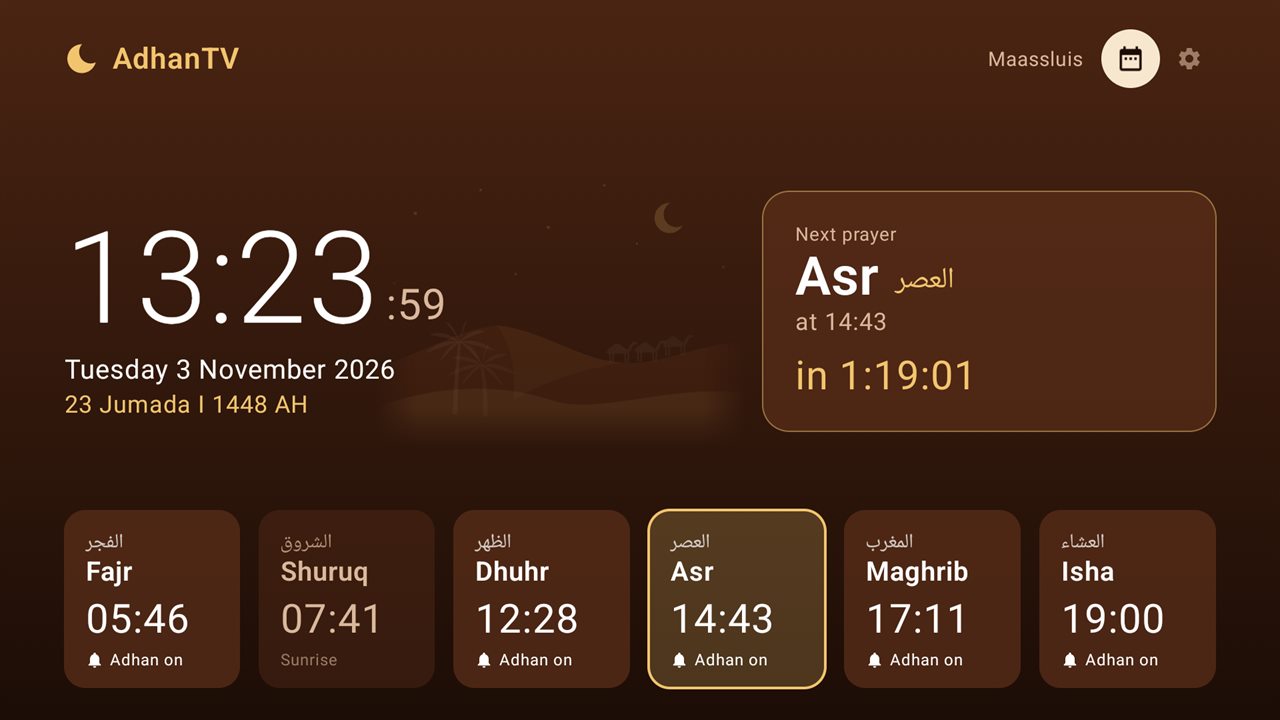
1Home screen
The clock, the Gregorian and Islamic date, the next prayer with a countdown and all prayer times of today. Select a prayer with the remote to switch its adhan on or off.
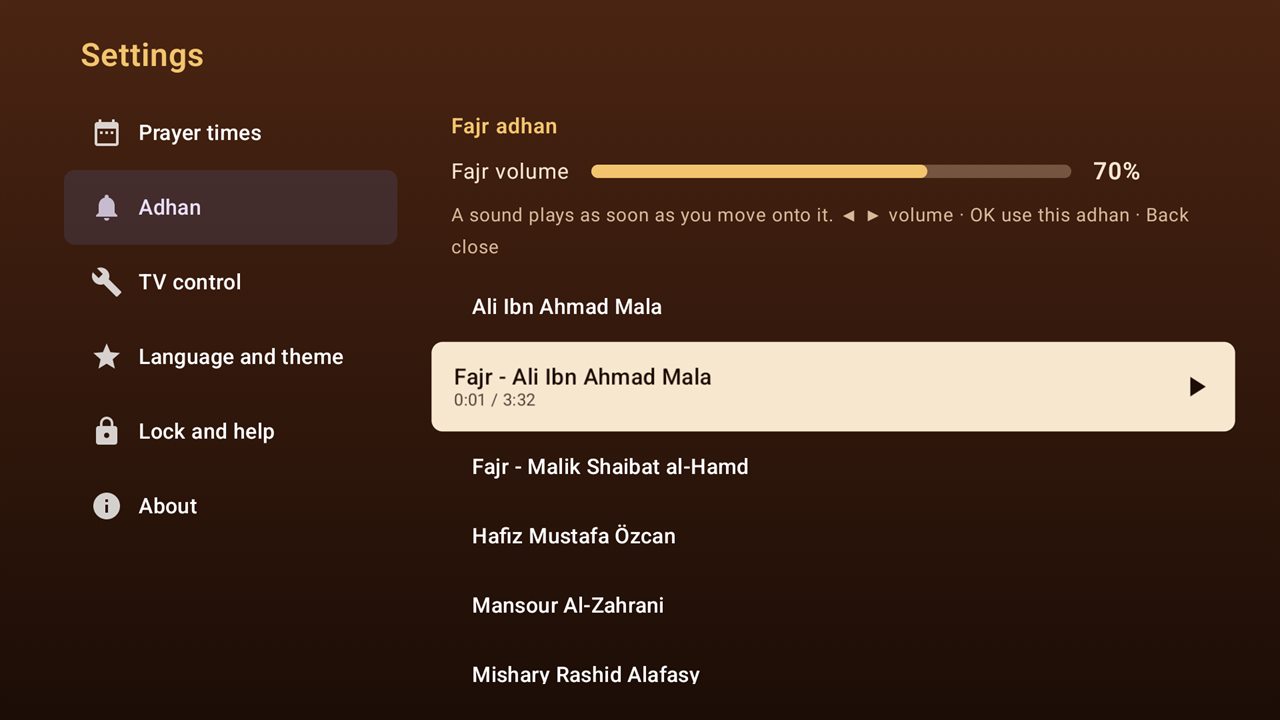
2Choose the adhan
Move through the list and each adhan starts playing, so choosing is easy. Use ◀ ▶ for the volume. Fajr has its own adhan and volume.
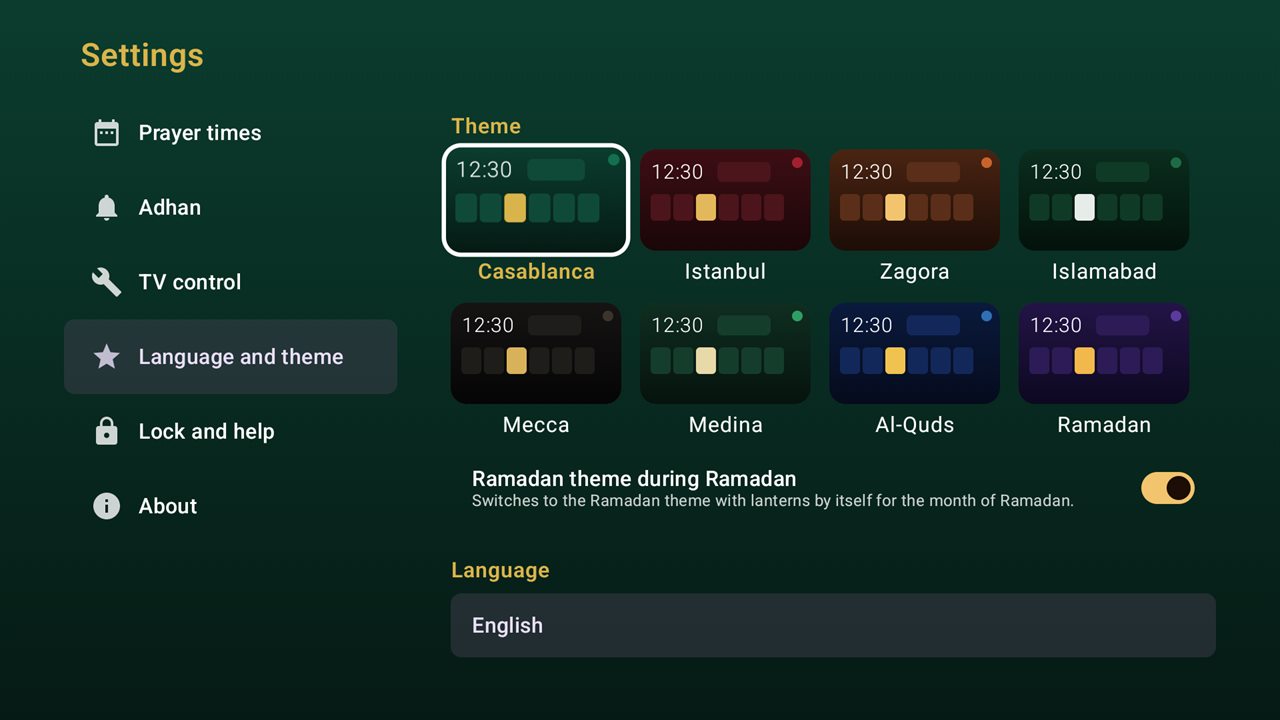
3Themes
Choose the colours and background drawing you like. If you want, the Ramadan theme with lanterns switches on by itself during Ramadan.
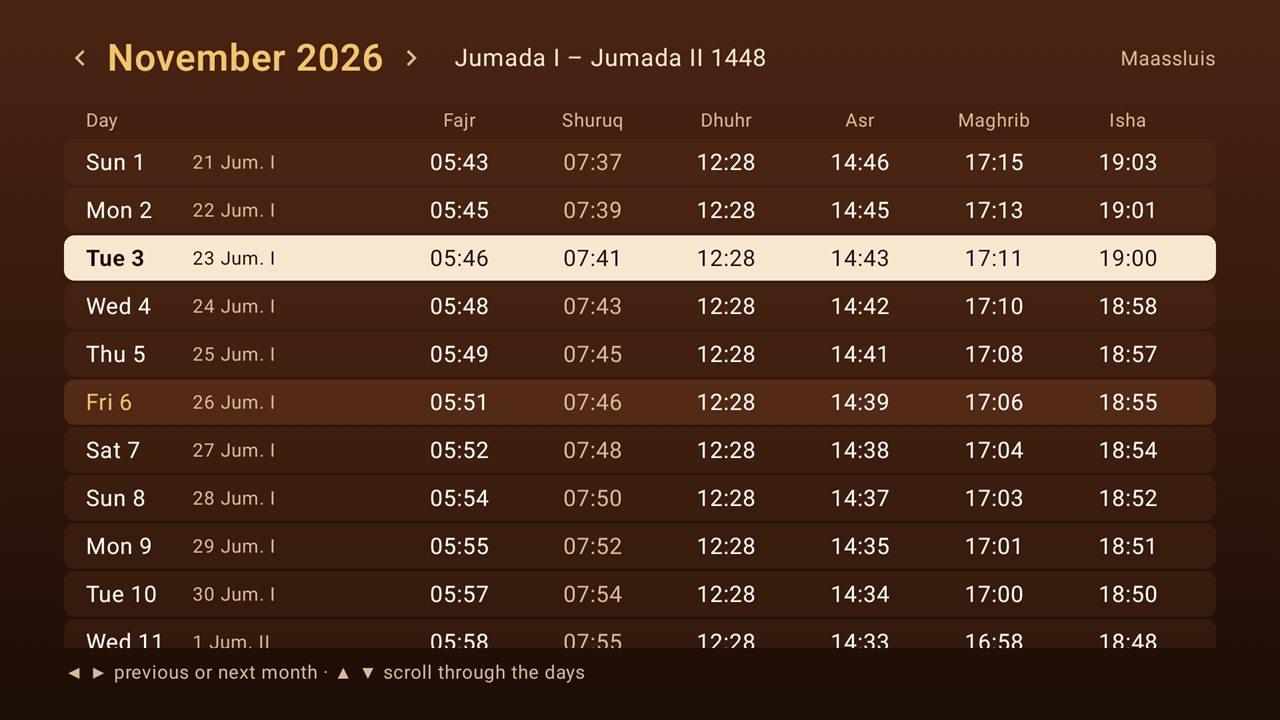
4Month overview
All prayer times of the month, with the Islamic date of every day. Use ◀ ▶ for the previous or next month.
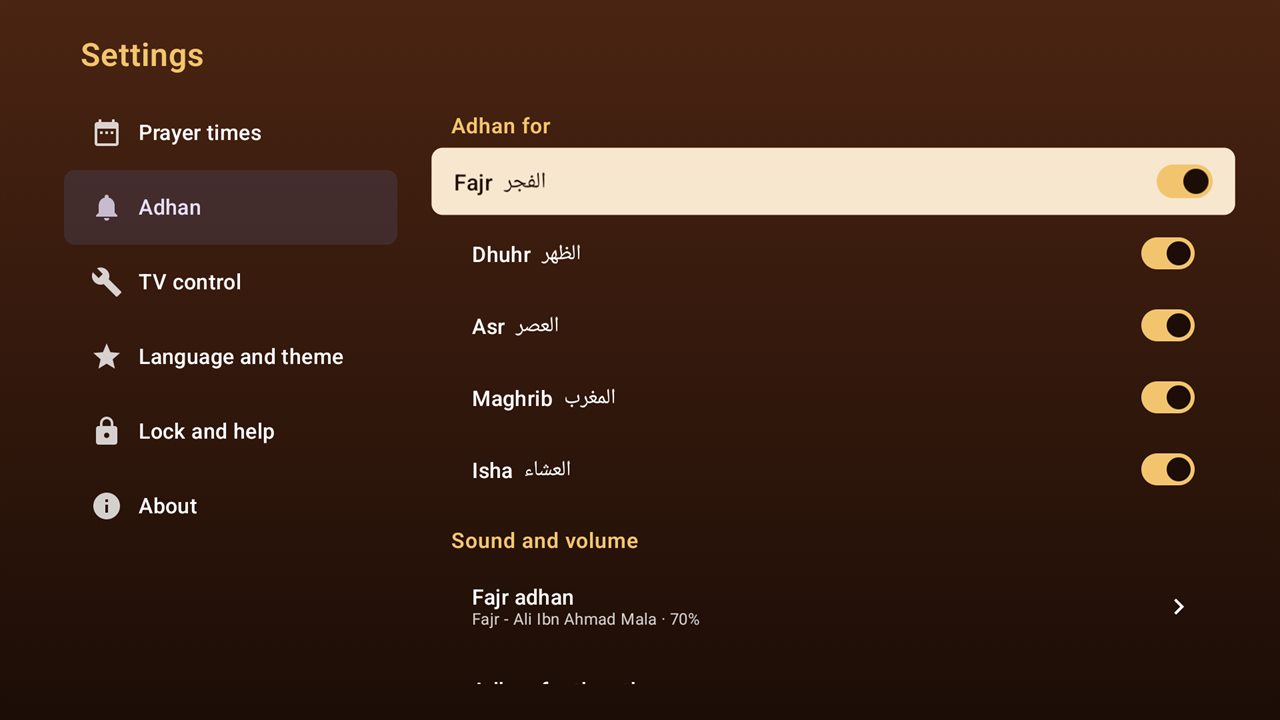
5Settings
Switch the adhan on or off for each prayer and choose the sound and volume. Everything is made for the arrow keys and OK.
Turn your TV box into an adhan clock
Free, no ads and no account. Download the APK or follow the step-by-step guide.
On your phone? AdhanTV does not work on a phone. Open Downloader on your TV box and type adhantv.net/apk.